For the life of me I can’t get the Wappler 2.1.3 on my Mac to show the Connection Properties OPTIONS so that I can complete the connection.
The online tutorials show different titles for some categories I have to use but I’ve ( I think) sorted those out.
Right off the bat I don’t see my Wappler acting the same way when I set up Server Actions. It does not automatically create an html file in a tab that is named the same as Data or Records.html, for instance. But I make sure I have corresponding files created and editable.
Where Wappler tutorial shows selecting the connection action – Server Connection from the Server Actions & getting to set up SERVER CONNECT OPTIONS such as my localhost mysql server url, user name & password & port spec –
I cannot see the OPTIONS to finish for a mysql database connection.
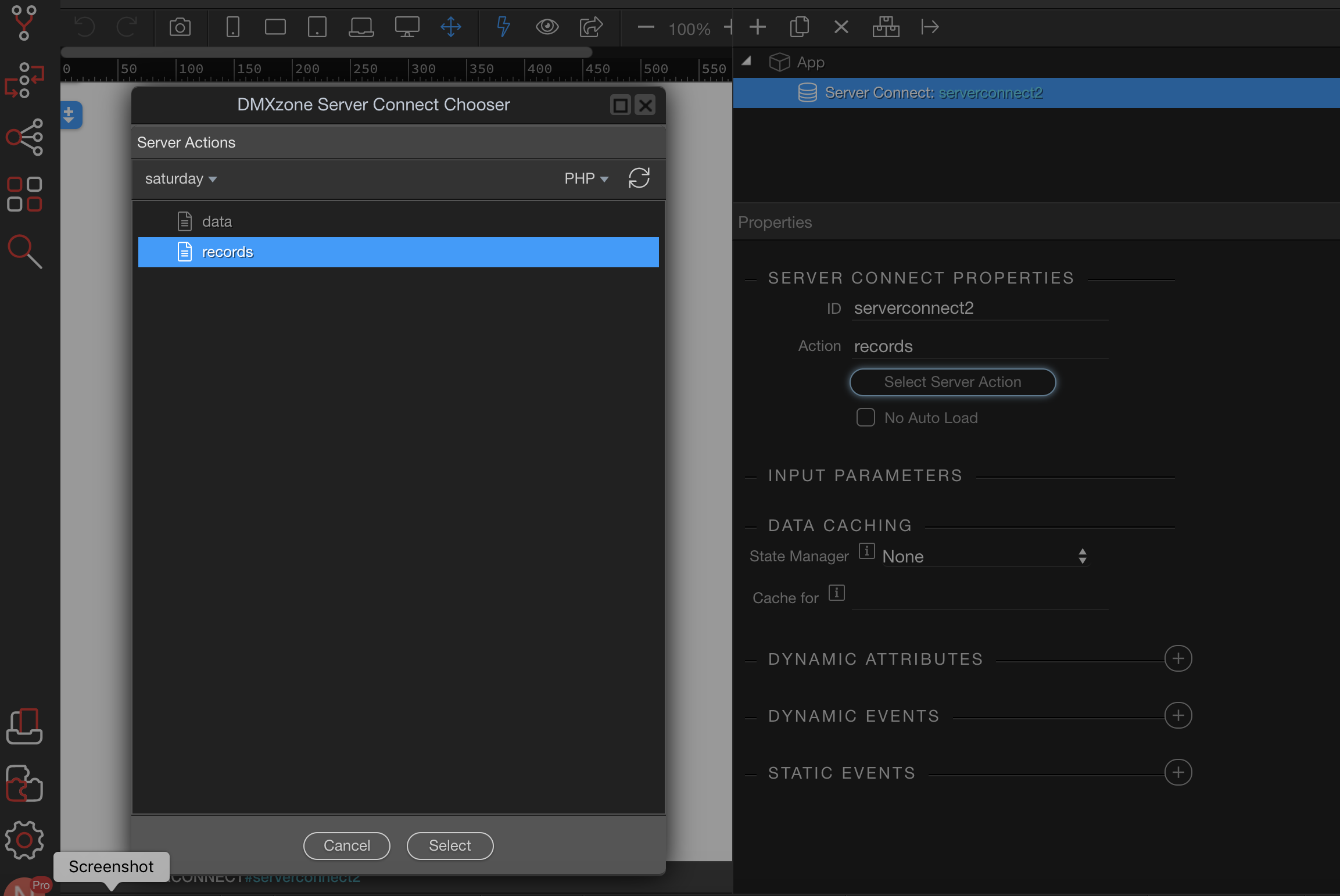
The lefthand panel in my screenshot just shows the names of the server action files I’ve created as I tried to finish up the properties Options.
Last updated: