I got the result I wanted with the Session Storage Manager but it seems this method is not best practice / optimal versus handles like HTTP_REFERER or SCRIPT_URI
Here is how I did it for our readers.
In the page I am browsing before login, I add a Session Storage Manager and define a variable targetURL from the properties panel.

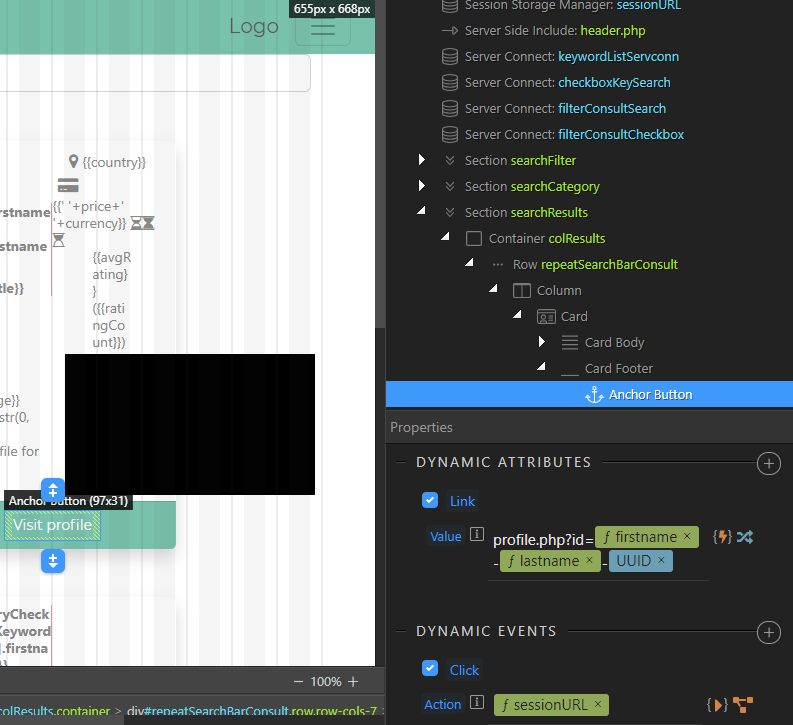
I set up my anchor button (user clicks the Visit Profile button to access full profile) as follows:
- Set the dynamic url of the button and target profile page via a dynamic attribute link.
- Save the url into the
targetURLsession variable on-click, via the dynamic events.
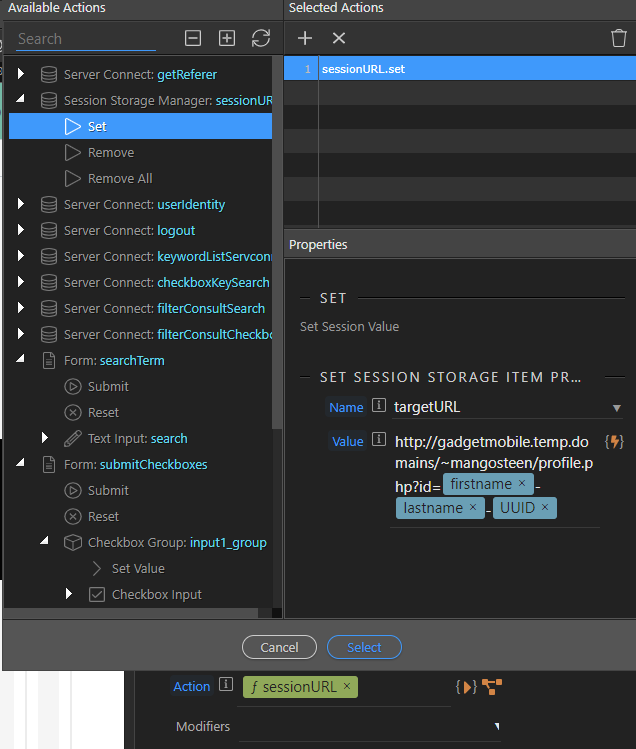
Detail of the Dynamic Events setup:
The actions saves the dynamic url that was clicked with the button into the session variable named targetURL.
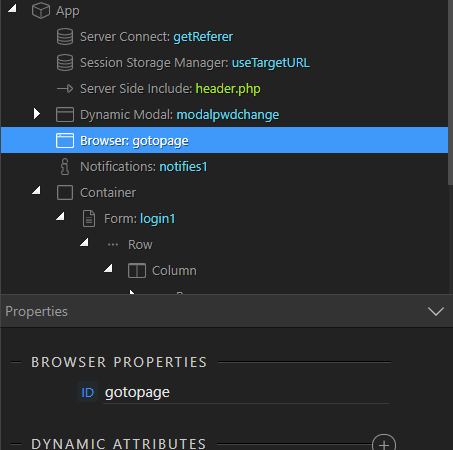
In the login page, I add a Session Storage Manager with the same targetURL variable.

Then I add a browser element to the app structure.
Then in the form (login1) of your login form, I add a Dynamic Event on Success via the Server Connect menu.

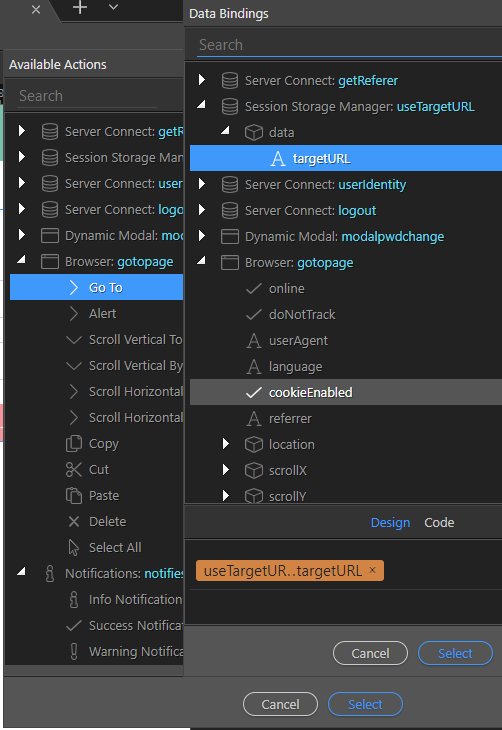
Success action setup: I use the browser element I’ve just added and set the URL as the session variable targetURL which I’ve set in my session storage manager.
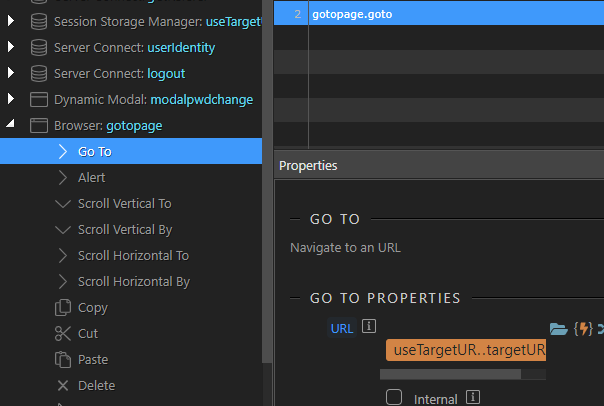
Detail of the dynamic URL of the browser properties:
Does the best practice rather consist in setting a HTTP_REFERER variable in the Globals?
I tried that but the var does not return the dynamic URL of the anchor button, only the browser’s URL of the entire page, so after login, the desired URL is lost.
Please can someone enlighten us users and readers? I have seen a few topics posted in the past with half backed solutions or outdated ones. There’s been a lot of improvements and I am sure it is easier and faster now to set this up.
Thank you.
Last updated: